Arts in One gives choir administrators a connected place to maintain singer records, schedule rehearsals, collect replies, and prepare performances. Singers use the member portal to find their own schedule and assigned materials.
Organize singers by voice part and section
Maintain the roster with the instrument or voice-part and section fields your choir uses. Review imported records and duplicates before sending portal invitations. Keep contact details and member status current so the right people receive each communication.
Review rehearsal and concert availability
Request replies for the relevant dates, review conflicts, and follow up with the people who have not answered. Use section information when preparing targeted messages. The administrator still decides how an absence changes the rehearsal or performance plan.
Connect the concert to ticketing
Configure tickets against the scheduled concert, review the buyer page, and prepare the door team. Maintain the audience and order records alongside the rest of your organization’s information. Review communication preferences before sending future announcements.
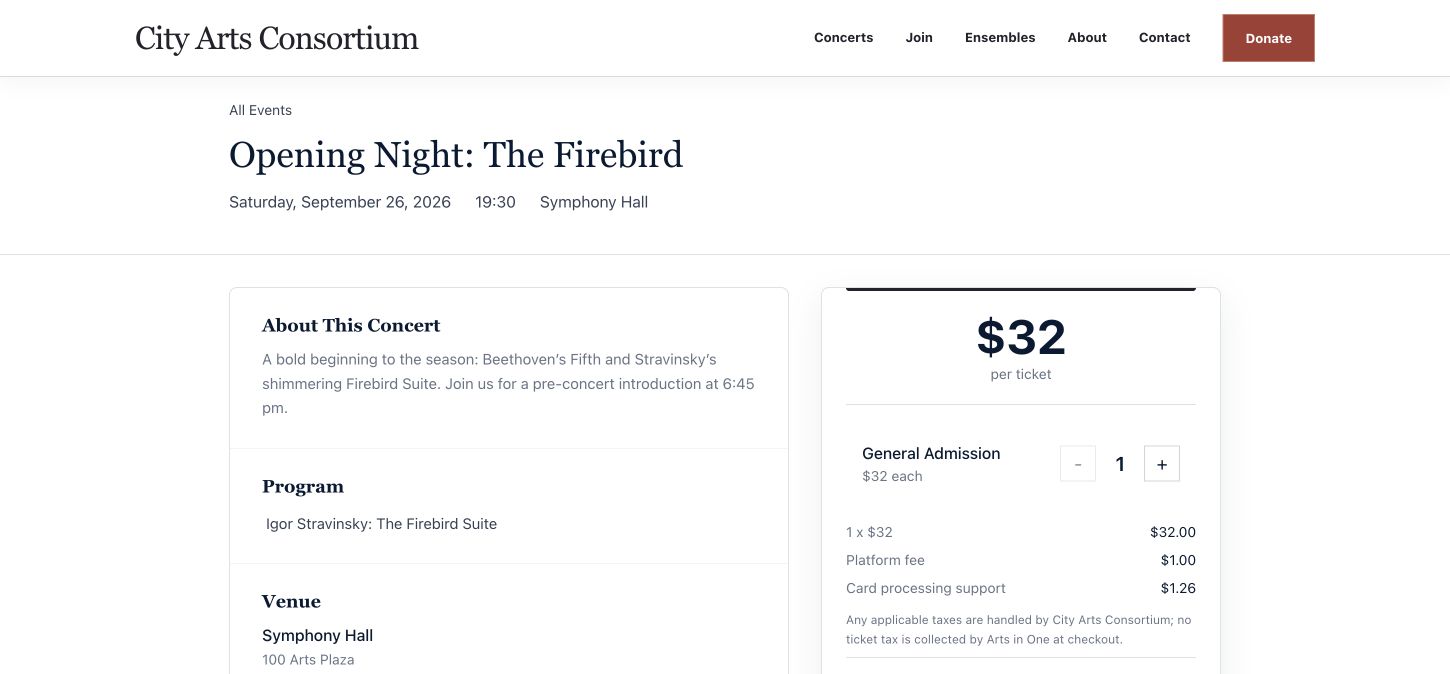
See the concert ticketing workflow or follow the setup checklist.
Maintain dues and assigned materials
Members can view their own dues and assigned music or media in the portal. Administrators maintain dues records and payment requests. Confirm file permissions, the material you are authorized to share, and your organization’s dues policies before setup.
Frequently asked questions
Can members use the portal in a browser?
Yes. The web portal provides their schedule and supported assigned materials, seating, and dues views without requiring an app installation.
Does the software choose the choir’s standing arrangement?
No. Your musical and production team chooses the arrangement. Administrators record it with adjustable rows and manual singer assignments.
Can our choir keep its current website?
Yes. Link to public events and ticket pages or use supported embeds. Confirm the installation in your website before publishing.
Keep reading
Explore Arts in One
Walk through your choir’s next performance.
Bring your rehearsal schedule, member-administration questions, and ticketing needs.
Request a demo