Give the audience a clear way in.
Choose ticket prices, capacity, and the sales window for your event. Publish a buyer page with the details and policies your audience needs.
Ticketing & box office
From the first booking to the next invitation, keep your event, your box office, and your audience records together.
For professional performing arts organizations.
Main stage · 7:30 pm
The sale, the arrival, the next invitation.
Illustrative workflow · fictional records, not a product screenshot
Choose ticket prices, capacity, and the sales window for your event. Publish a buyer page with the details and policies your audience needs.
Find bookings by buyer, order, ticket code, or seat. Review ticket-email status, issue complimentary tickets, and prepare the team for check-in.
Keep attendance with your audience records. Review the history when preparing a relevant invitation or fundraising appeal, with your team in control of the message.
The audience experience
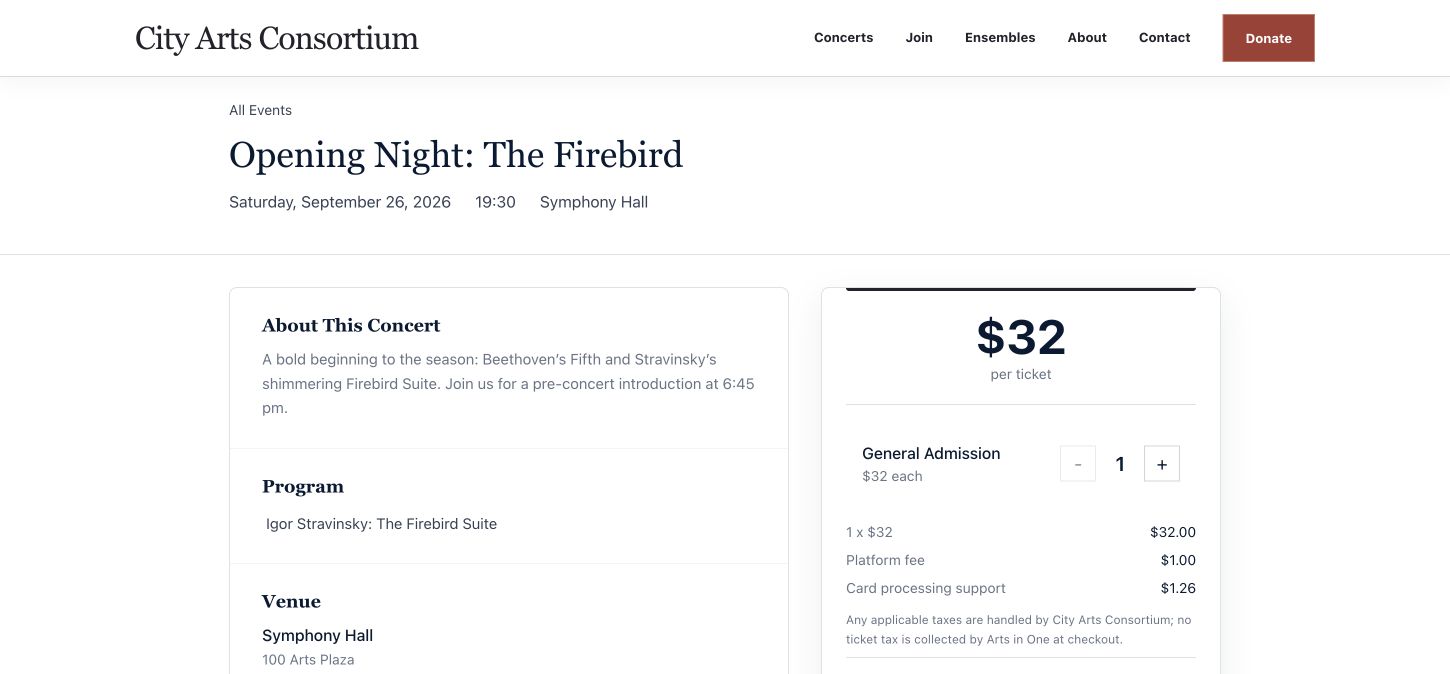
Share a ticket link from the website you already use. Give buyers one place to review the performance, ticket choices, applicable fees, and your policies before checkout.
Use general admission for capacity-based events or reserved seats with a venue map on Scale.
Behind the box office
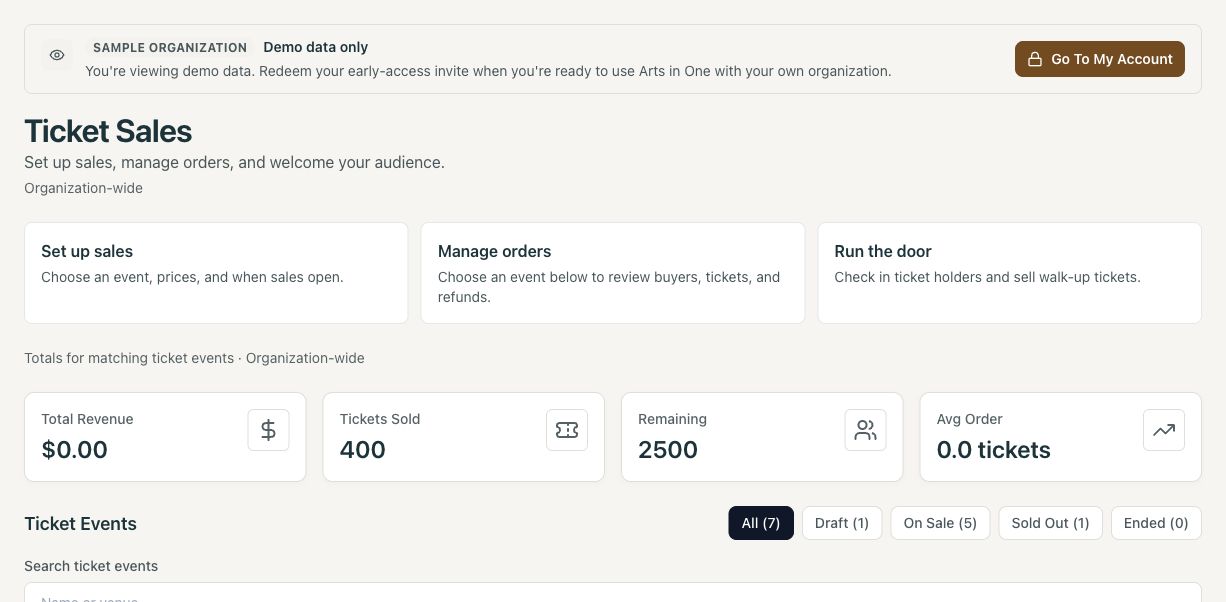
The ticketing workspace brings sales setup, order management, and door operations together. Your team can move between the work without losing the event context.
Export the attendee list for a fallback, use online check-in to identify already-used tickets, and review supported walk-up payment methods before doors open.
Before the first sale
General-admission ticketing is available on Pro and Scale. Reserved seating requires Scale and a configured venue seat map. See current plans for packaging.
Configure the ticket choices, capacity, sales window, buyer policies, and support contact. Connect your organization’s Stripe account for online card payments and verify the public page. Creating an event alone does not open ticket sales. Read the setup walkthrough.
Review your plan and connected payment account’s terms. Ticket revenue, service fees, processing charges, and bank payouts are separate amounts; a completed sale does not mean funds are already in your bank. Use the ticketing cost guide with your own prices and order sizes.
Eligible full card-order refunds can be initiated from the order. A manual refund record logs money already refunded externally and does not move funds. Review the order’s eligibility, included donations, and payment result. Confirm exchange and partial-refund requirements during your demo.
Confirm connectivity, devices, and available payment methods. Test valid and duplicate ticket scans, brief the door team, and export an attendee list for a fallback that can be reconciled afterward.
Your organization. Your workflow.
Bring your admission format, website, and box-office questions. We’ll walk through the experience on both sides of the ticket.